
 how-to
Watch Movies Offline While Traveling: A 2026 Guide
Table of Contents
- Why Downloading Movies Before Travel Matters
- How to Download Movies for Travel Using BINGE
- Best Devices for Offline Movie Watching While Traveling
- Storage Management for Mobile Devices
- Preparing Your Device Before a Flight
- Troubleshooting Playback Errors and DRM Issues
- Cloud Storage vs. Local Device Storage for Travelers
- Frequently Asked Questions
Last Updated: September 30, 2026
Why Downloading Movies Before Travel Matters
Streaming on the go sounds convenient. Until your flight loses connection and you're stuck with nothing to watch. The truth is, relying on airport Wi-Fi or cellular data to stream movies while traveling is a gamble you'll lose.
According to Jetpac Global's 2026 data usage benchmarks, streaming Netflix in HD consumes 3GB per hour. That's a massive chunk of your data plan on a single flight. And here's the real problem: airport Wi-Fi speeds are often painfully slow, making it nearly impossible to download high-quality video content during a layover when you realize you forgot to prepare.
The smarter move? Download your films before you leave home. This is where BINGE Movies & TV shines. With our curated selection of independent films and the ability to download titles directly to your device, you can build a personal cinema library for any trip. No buffering. No data overages. No stress.
How to Download Movies for Travel Using BINGE
Downloading films from BINGE Movies & TV is straightforward. The platform puts download controls right where you need them. Here's exactly how to build your travel movie collection.
Step 1: Choose Your Content and Check Quality Settings
Start by browsing BINGE and selecting the films you want to watch movies offline. Before you hit download, check the quality settings. This matters because quality directly impacts file size and storage space on your device.
You can choose your preferred playback quality. Lower quality saves storage but looks grainier on larger screens. Higher quality looks sharper but eats up more device space. For most travelers, medium quality strikes the right balance: good picture on a tablet or phone, without consuming excessive storage.
Take 30 seconds to think about your trip length and device storage. A 2-hour film in low quality might use 0.6GB. The same film in HD could use 6GB. That's a tenfold difference. Plan accordingly before you start downloading.
| Quality Setting | Data Per Hour | Best For | Storage Impact |
|---|---|---|---|
| Low Quality | 0.3GB | Smartphones, long trips | Minimal |
| HD Quality | 3GB | Tablets, shorter trips | Moderate |
| 4K Ultra HD | 7GB | Large screens only | Significant |
Step 2: Initiate the Download on Your Device
Open the BINGE app on your phone, tablet, or supported device. Find the film you selected. Look for the download button, it's usually a downward-pointing arrow icon. Tap it.
The app will confirm your quality selection and start downloading the file directly to your device's internal storage. You'll see a progress indicator showing how much of the file has transferred. Most films download in minutes on a strong Wi-Fi connection.
Don't interrupt the download. Let it run to completion. Stopping and restarting wastes time and can corrupt the file.
Step 3: Monitor Download Progress and Expiration
Keep an eye on the download progress. BINGE shows you exactly how much time remains. Once the download finishes, the film appears in your library marked as "Downloaded."
Here's what most travelers miss: downloaded content doesn't live on your device forever. Streaming services include DRM protection (digital rights management) that limits how long you can keep offline content. Check your expiration dates before traveling.
Check your expiration dates before traveling. If a film expires mid-trip, you lose access. Download fresh copies of your favorites at least a week before departure to avoid this problem.
Best Devices for Offline Movie Watching While Traveling
Not all devices are created equal for portable viewing. Your choice depends on screen size, battery life, and storage capacity. Let's break down what actually works.
Smartphones and Tablets
Smartphones offer maximum portability. They slip into a pocket or bag. Battery life on modern phones runs 8-12 hours with moderate use. Storage varies wildly, some phones have 64GB, others 512GB. Calculate how many films fit before you download.
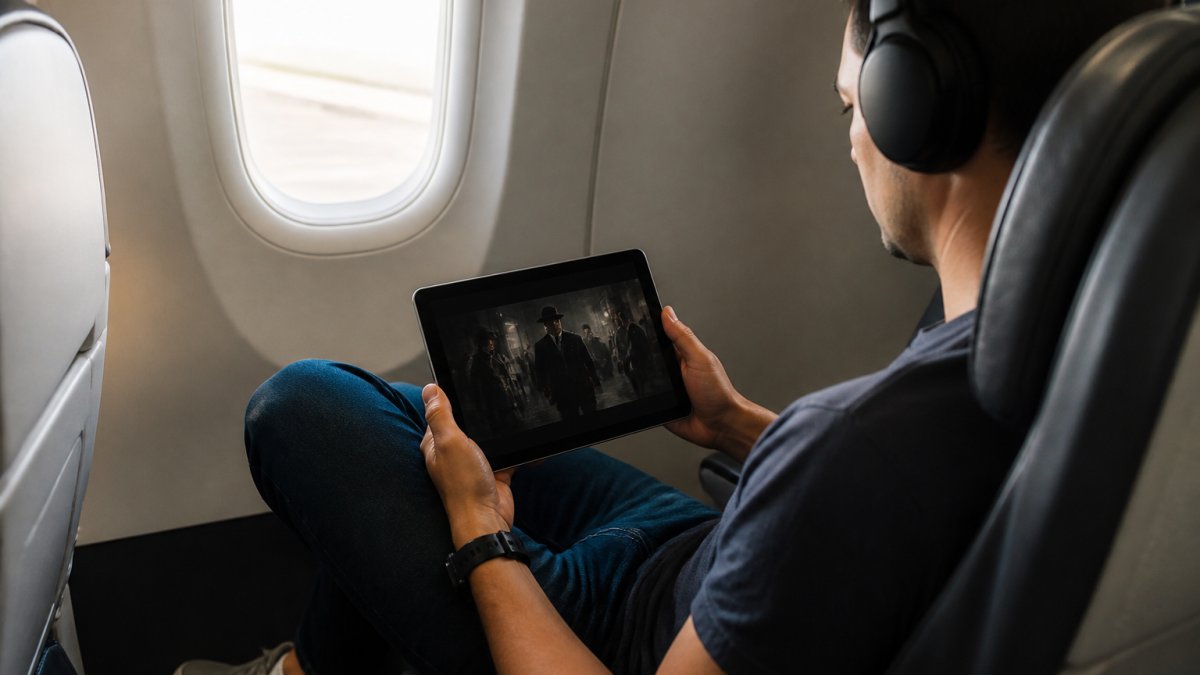
Tablets are the sweet spot for most travelers. A 10-inch iPad or Android tablet gives you a cinema-like experience without being bulky. The larger screen makes films genuinely enjoyable. Tablets also pack bigger batteries than phones, often lasting 12-15 hours of continuous playback. Storage capacity is usually generous, 128GB or more is standard.
The downside? Tablets are bulkier than phones. They need their own bag space. But if you're watching for hours on a long flight, the comfort matters.
Portable Media Players and Dedicated Devices
Dedicated portable media players exist but are rare now. Most travelers skip them. Your phone or tablet does the job better.
Some travelers bring a lightweight laptop. That gives you a larger screen and familiar playback interface. Laptops are heavier and need charging more often, but they work well for long layovers where you'll be stationary.
The real consideration: battery life. A laptop might give you 6-8 hours of playback. A tablet gives you 12-15 hours. For flights longer than 6 hours, the tablet wins.
Storage Management for Mobile Devices
Running out of storage mid-trip is a nightmare. Your device fills up. Downloaded films won't play. You're stuck. Smart storage planning prevents this.
Understanding Data Consumption by Quality Level
Quality directly determines file size. According to Jetpac Global's 2026 streaming benchmarks, Netflix in low quality uses 0.3GB per hour, HD uses 3GB per hour, and 4K Ultra HD uses up to 7GB per hour.
A 2-hour independent film at low quality might consume 0.6GB. The same film in HD consumes roughly 6GB. A 4K version could exceed 12GB.
This matters because storage on mobile devices is finite. An iPhone with 128GB total storage might have only 80GB available after the operating system and apps claim their space. That 80GB has to hold everything: photos, music, apps, and now your downloaded films.
Calculating Storage Needs for Your Trip
Do basic math before you download. Count how many films you want to watch. Estimate their runtime. Multiply by the per-hour data consumption for your chosen quality.
Example: You want 5 films, each roughly 2 hours, in HD quality. That's 5 × 2 hours × 3GB per hour = 30GB total. Check your device. Do you have 30GB free? If not, lower the quality or download fewer films.
Leave buffer space. Don't fill your device completely. Keep at least 10GB free for your device to operate smoothly. A phone or tablet running out of storage slows down, crashes apps, and refuses to download more content.
Preparing Your Device Before a Flight
The hours before travel are when small decisions prevent big problems. Preparation takes 15 minutes and eliminates almost all offline viewing issues.

Enable Airplane Mode and Test Offline Playback
On the day of travel, enable airplane mode before you board. This disconnects Wi-Fi and cellular, forcing your device to use only locally stored content. It also preserves battery by stopping background data syncing.
Before you get on the plane, test your downloaded content. Open the BINGE app. Start playing one of your downloaded films. Watch 30 seconds. Confirm it plays smoothly without buffering. This confirms the download worked and the file isn't corrupted.
If playback fails, you have time to troubleshoot at home or at the airport. Discovering problems mid-flight is too late.
Optimize Battery Life for Long Viewing Sessions
Battery life determines how long you can watch. Reduce screen brightness to 40-50%. Brightness is the biggest battery drain on mobile devices. At 50% brightness, most tablets last 15+ hours of continuous playback. At full brightness, you're down to 8-10 hours.
Enable low-power mode if your device offers it.
Troubleshooting Playback Errors and DRM Issues
Downloaded content sometimes refuses to play. DRM protection is usually the culprit. Here's how to fix the most common problems.
Cloud Storage vs. Local Device Storage for Travelers
This choice matters more than most people realize. Cloud storage and local device storage have completely different trade-offs.
Frequently Asked Questions
Can you watch movies offline without internet on any device?
Yes, once you download movies to your device using your streaming app, you can watch them without an internet connection. BINGE lets you download content to smartphones, tablets, and compatible devices. After downloading, simply enable airplane mode and open the app to access your offline playback library. The downloaded content remains on your device until you delete it or it expires.
How much storage space do I need for offline movies?
Storage needs depend on video quality. Storage needs depend on video quality. For a two-hour flight, download in a lower quality to save space, or use higher quality if you have the capacity. Most modern smartphones have 64GB-256GB of internal storage, allowing multiple films. Adjust quality settings in your BINGE app before downloading to manage storage capacity effectively.
What's the best way to download movies to watch on an airplane?
Download content at home on high-speed Wi-Fi before your trip rather than relying on airport Wi-Fi, which is often unreliable. Open the BINGE app, select your film, tap the download button, and choose your preferred quality setting. For longer flights, download multiple titles. Verify downloads completed successfully before boarding. Enable airplane mode once airborne to prevent accidental data usage, then open the app to access your downloaded content offline.
Do I need a subscription to download movies for offline viewing on BINGE?
Yes, you need an active BINGE Movies & TV subscription to download content. However, you can try the service free for 7 days to test offline downloading on your device before committing. Once subscribed, the download feature is included at no extra cost. Your downloaded content remains accessible as long as your subscription stays active; content access expires when your subscription ends.