 blog
Mubi vs Criterion Channel: 2026 Comparison Guide
Table of Contents
- Mubi vs Criterion Channel: How the Two Curated Streamers Differ in 2026
- MUBI vs Criterion Channel Price: What Each Subscription Actually Costs
- MUBI vs Criterion Channel Library: Rotation vs Permanent Collection
- Best Streaming Services for Classic Films: What Criterion Gets Right
- Best Streaming Services for Independent Films: Where MUBI and BINGE Fit
- App Features, Offline Downloads, and Supported Devices
- Which Service Fits Your Viewing Habits?
- Frequently Asked Questions
Last Updated: October 12, 2026
Mubi vs Criterion Channel: How the Two Curated Streamers Differ in 2026
The Mubi vs Criterion Channel comparison in 2026 comes down to one structural difference: Mubi rotates roughly 30 films daily while Criterion keeps a larger permanent library.
Here's what most comparison guides get wrong: they treat both services as interchangeable "art film" apps. They aren't. Mubi is a film club with a ticking clock.
Below, we compare pricing, catalog structure, device support, and which viewer each service actually suits. We also explain where a third option fits for people who want curated independent cinema without the rotation pressure.
MUBI vs Criterion Channel Price: What Each Subscription Actually Costs
Pricing is the first place most Mubi vs Criterion Channel comparisons fall apart, because both services adjust rates by region, run promotional windows, and change plan structures without much fanfare. Rather than repeat a single number as if it were fixed, this section gives you a dated snapshot and a method for confirming what you'll actually pay in 2026.
What the Reported 2026 Figures Look Like
As of this October 2026 update, the figures circulating across pricing trackers still disagree, which is itself the story. According to Softwr's 2026 Criterion Channel vs MUBI comparison, Criterion Channel is listed at $10.99 per month and Mubi at $7.99 per month.
The Criterion monthly figure is consistent across both sources. The Mubi figure is not, and the spread between $7.99 and $14.99 is wide enough that it changes the value calculation entirely.
Monthly vs Annual: How the Math Actually Works
Annual plans are where the two services diverge most in structure. A 2025 Lifehacker report listed Criterion Channel at $100 per year and Mubi at $120 per year during a Cyber Monday promotion.
| Service | Monthly (reported) | Annual (reported) | Billing model |
|---|---|---|---|
| Criterion Channel | $10.99 | $100/year | Monthly or annual |
| Mubi | $7.99 to $14.99 | $120/year | Monthly or annual |
Here's the practical rule: if you're unsure whether you'll stick with a service past three months, start monthly. The annual discount on either platform is rarely large enough to offset the cost of abandoning a subscription you don't use.
Free Trials, Discounts, and How to Verify Current Pricing
Both platforms have historically offered free trials, and both discount around major sale events, Black Friday, Cyber Monday, and occasional new-subscriber promotions. Because these change frequently, the only reliable approach is to check each service's own signup page directly before you commit, and to note the date you checked.
A few verification habits worth building:
- Check the signup page, not a review site. Third-party pricing articles go stale fast, and affiliate-driven roundups sometimes quote promotional rates as standard.
- Confirm the billing currency and region. If you're outside the US, the price you see may differ from the figures above.
- Read the cancellation terms before the trial ends. Some trials convert automatically at full price.
- Screenshot the price at signup. If a charge later looks wrong, you have a dated record.
The Real Value Question: Cost Per Film Watched
Price only matters relative to how much you watch, and the two services reward different habits. Criterion rewards slow viewing, its library stays put, so a $10.99 month is worth it even if you only finish two films, because those films will still be there next month.
A simple way to compare: divide the monthly price by the number of films you realistically finish in a month. If you finish four films on Criterion at $10.99, that's roughly $2.75 per film.
MUBI vs Criterion Channel Library: Rotation vs Permanent Collection
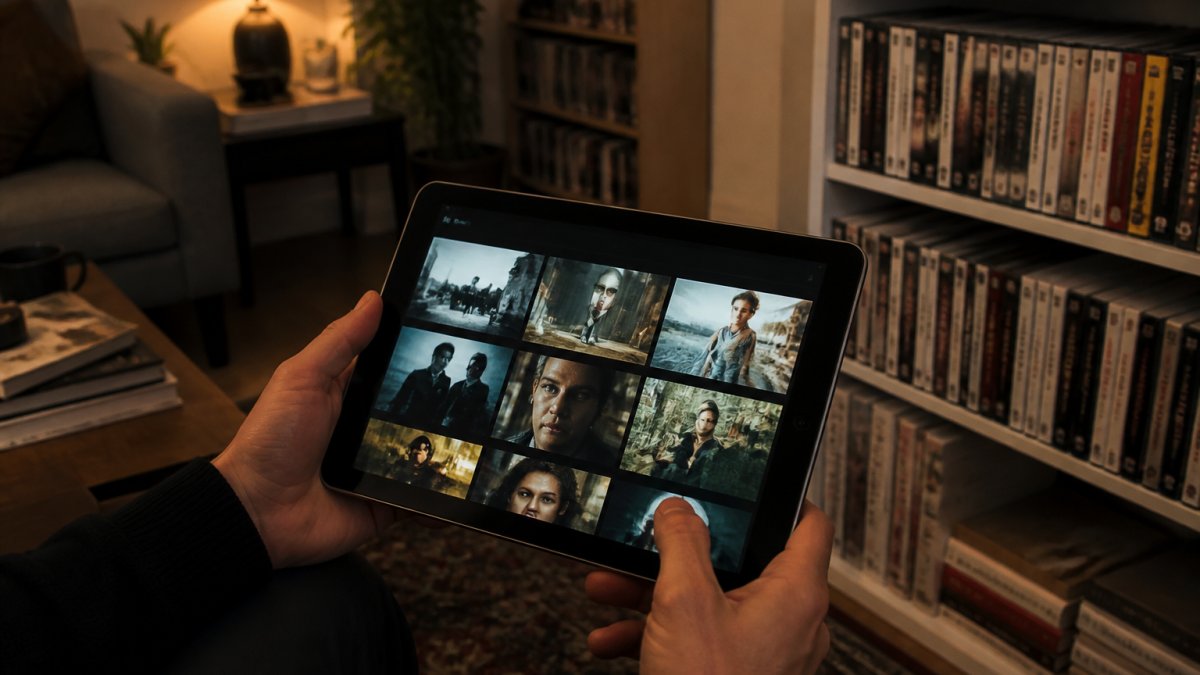
The Mubi vs Criterion Channel library difference is the core of this comparison. Mubi operates as a rotating showcase, with roughly 30 films available at any time and new titles cycling in daily.
That structure changes how you browse. On Mubi, you check what's there today. On Criterion, you build a watchlist and work through it over months.
How Each Catalog Handles New Arrivals and Licensing
Licensing drives everything here. Mubi's rotating model lets it license films for limited windows, which is how it lands festival titles and international releases that rarely appear elsewhere. Criterion's permanent model requires longer-term rights, so its additions lean toward films with stable distribution.
The practical result: Mubi surfaces more brand-new and hard-to-find international cinema. Criterion offers more depth on canonical classics and art-house staples.
Best Streaming Services for Classic Films: What Criterion Gets Right
Criterion Channel is the strongest option for classic films, period. Its permanent library means a restored 1950s drama you add to your watchlist in January is still there in June. That reliability is the whole point.
For anyone building a real education in film history, this matters more than novelty. You can move through a director's filmography, revisit a title, or follow a themed collection at your own pace.
Permanent libraries beat rotating ones for study and rewatching. Rotating libraries beat permanent ones for discovery. Decide which habit you actually have.
Best Streaming Services for Independent Films: Where MUBI and BINGE Fit
For independent and international films, Mubi's rotating model is genuinely strong. It's built around editorial selection, and it surfaces emerging filmmakers and festival titles that mainstream platforms skip.
There's a tradeoff, though. Rotation means availability is temporary. If you travel for work or watch in bursts, films can disappear before you get to them.
That's where BINGE Movies & TV fits. Our platform is built for exactly this viewer: people who want curated independent cinema from global creators, added daily, without the race against a rotation clock.
App Features, Offline Downloads, and Supported Devices
Most Mubi vs Criterion Channel comparisons stop at catalog and price. That leaves out the features that determine whether a service actually fits your daily routine: what devices it runs on, whether you can download films, how playback quality works, and whether the app supports the accessibility options you need. This section covers that ground, the practical comparison the top results tend to skip.
Device Compatibility: Where Each Service Runs
Both services cover the major platforms, but the details differ in ways that matter depending on your setup.
- Mobile and tablet: Both Mubi and Criterion Channel offer iOS and Android apps. This is the primary way most subscribers browse and watch.
- Smart TVs and streaming devices: Both support the major living-room platforms, including Apple TV, Amazon Fire TV, Roku, and Android TV. Mubi has historically been available on a slightly broader set of smart TV brands, while Criterion Channel's TV app support has expanded over time.
- Web browsers: Both offer full web streaming, which is the easiest way to check a catalog before subscribing.
- Game consoles: Support here is inconsistent for both services and changes with platform updates, so verify on the specific console before assuming it works.
If you watch primarily on a smart TV or streaming stick, confirm the app is available on your exact model before subscribing. App store listings are the fastest way to check.
Offline Downloads: The Real Differentiator for Travelers
Offline downloads are where the two services diverge most for commuters, frequent flyers, and anyone who watches without reliable Wi-Fi.
Both Mubi and Criterion Channel offer download functionality on mobile, but the terms vary by title and region. Licensing agreements often restrict offline access for specific films, which means a title you can stream may not be downloadable.
A few practical points:
- Downloads are typically mobile-only. Neither service reliably supports downloads on desktop or most TV apps.
- Download windows can expire. Some titles remain playable offline only for a set period before you need to reconnect.
- Availability varies by title. Don't assume a film you've added to your watchlist can be downloaded, check the download icon on the title page.
- Test before you commit. The best way to confirm download behavior is to try it during the free trial, on the specific device you'll actually use.
If offline viewing is your priority, test it during the free trial rather than after you've paid.
Playback Quality, Profiles, and Accessibility
Playback quality on both services depends on your connection and device, and both stream in HD where the source material allows.
On profiles and personalization, both services support watchlists and viewing history, but neither has historically offered the kind of multi-profile household setup common on mainstream streamers. If multiple people share your account, expect to share a single watchlist.
Accessibility features are worth checking directly in each app, since support for subtitles, audio description, and caption styling varies by title and region.
How to Compare Features Yourself in 30 Minutes
Rather than trust any comparison, including this one, run a quick self-audit before subscribing:
- Check the app store for your primary device and confirm the service is listed and recently updated.
- Open the web player and search for two or three specific films you want to watch. This tells you whether the catalog actually matches your taste.
- Look for the download icon on those titles to confirm offline availability.
- Start the free trial and test playback on the device you'll use most.
- Note the date you checked, since catalogs and features change.
This five-step check takes about half an hour and will tell you more than any spec sheet, including the one above.
Which Service Fits Your Viewing Habits?
The right choice depends on how you watch, not which catalog is "better." Use this framework:
- Choose Criterion Channel if: you rewatch films, study directors, prefer a stable watchlist, and watch a few titles per month.
- Choose Mubi if: you want daily discovery, follow festival and international cinema closely, and watch often enough to catch films before they rotate out.
- Choose BINGE Movies & TV if: you want curated independent films with daily additions, reliable offline downloads, and multi-device streaming without extra fees.
Frequently Asked Questions
Is MUBI better than The Criterion Channel?
It depends on how you watch. MUBI suits viewers who want a fresh hand-picked film every day and enjoy editorial discovery, with monthly prices reported between $7.99 and $15 across 2025 and 2026 sources. Criterion Channel suits viewers who want a larger permanent library of classics and art-house titles, listed at $10.99 per month or $100 per year in the same sources. Check current pricing on each service before subscribing.
Can you download films on MUBI or The Criterion Channel?
Both services focus on streaming, and offline support varies by title and region. If downloads matter for commuting or travel, confirm availability in each app before you commit. BINGE Movies & TV, for example, lets subscribers download titles for offline viewing across Smart TVs, Chromecast, Apple TV, phones, and tablets, which is worth weighing if you watch away from Wi-Fi often.
What kinds of films can you watch on MUBI and The Criterion Channel?
MUBI leans into contemporary films, international movies, and independent cinema, rotating roughly 30 titles daily according to LowerMySubs. Criterion Channel centers on a curated library of classic and contemporary movies, and its May 2026 lineup paired 1980s remakes with their originals. If you want festival discoveries and world cinema alongside the canon, comparing both catalogs against your watchlist is the fastest way to decide.
Which is better for discovering international and independent cinema?
MUBI's rotating model pushes you toward films you would not search for yourself, which suits discovery. Criterion Channel rewards viewers who already know the directors and movements they want to explore. For a third option, BINGE Movies & TV adds independent films daily from creators worldwide and offers a free trial, so you can test whether its curation matches your taste before paying.
Picking between curated streamers gets harder as prices shift and catalogs rotate. The fix is matching the platform to your real habits, not the one with the biggest library on paper. BINGE Movies & TV offers a curated selection of independent films from global creators, daily additions, and offline downloads across Smart TVs, Chromecast, Apple TV, phones, and tablets. Start your 7 day FREE Trial and find your next favorite film today.