 listicle
Which Apps Let You Watch Movies Offline?
Last Updated: October 26, 2026
Quick Summary
You can watch movies offline using apps like Netflix, Amazon Prime Video, BINGE Movies & TV, Apple TV, Plex, Tubi, and Pluto TV. Each app offers different offline download capabilities, content libraries, and device compatibility, so the best choice depends on your device type, budget, and content preferences.
- Netflix lets you download entire seasons to phones or tablets with no expiration as long as you maintain a subscription
- BINGE Movies & TV offers a 7-day free trial and syncs downloads automatically across all your devices
- Plex lets you download your own personal digital movie collection for offline viewing on mobile devices
- Tubi is completely free and ad-supported but has a smaller library of downloadable titles than available to stream
- Downloaded movies consume significant storage space, with a two-hour HD film using 2-4 GB on your device
Table of Contents
- Best Apps for Watching Movies Offline
- How We Evaluated These Apps
- 1. BINGE Movies & TV: Independent Films for Offline Viewing
- 2. Netflix, Prime Video, and Apple TV: Mainstream Streaming with Downloads
- 3. Free Movie Apps Offline: Tubi, Plex, and Pluto TV
- Apps to Download Movies for Offline Viewing: Self-Hosted Options
- Watch Movies Offline on iPhone: What Works Best
- Watch Movies Offline on Android: Native and Third-Party Solutions
- Frequently Asked Questions
Best Apps for Watching Movies Offline
If you travel frequently, commute on transit, or simply want to watch movies without burning through your data plan, watching movies offline has become essential. For a broader comparison of streaming services that support offline viewing, explore affordable streaming options in a recent review. The challenge isn't finding any app that supports downloads, it's finding the right one for your needs, device, and budget.
Some platforms prioritize mainstream content. Others focus on independent films and festival favorites. Some are completely free. Others charge subscription fees. The differences matter more than you'd think when you're stuck on a plane without WiFi.
Below, we'll walk you through the best apps for watching movies offline, how we evaluated them, and which one fits your specific situation. We'll also cover what works best on iPhone versus Android, and explain the download limits and expiration rules you need to know before committing to a platform.
Quick Comparison Table
| App | Best For | Free Tier | Key Offline Feature |
|---|---|---|---|
| BINGE Movies & TV | Independent films & curated cinema | 7-day free trial | Download titles across all devices |
| Netflix | Mainstream entertainment | Limited trial | Download entire seasons for offline viewing |
| Amazon Prime Video | Broad content library | Video-only option available | Download to phone or tablet |
| Apple TV | Apple ecosystem users | Limited trial | Download purchased or rented content |
| Plex | Personal media libraries | Free with optional upgrade | Stream your own files offline |
| Tubi | Budget-conscious viewers | Completely free | Ad-supported streaming (offline varies) |
| Pluto TV | Free live and on-demand | Completely free | Limited offline availability |
How We Evaluated These Apps
We looked at three core criteria when testing these platforms: offline download capability, device compatibility, and content quality. Here's what mattered most in our assessment.
Offline download functionality was the first filter. We verified that each app actually allows you to download movies and TV shows for playback without an internet connection. Some apps claim offline support but limit it to specific content or devices. We tested real downloads on multiple platforms to confirm what actually works.
Device compatibility came next. We checked which apps run on iPhone, iPad, Android phones, Android tablets, and computers. A great offline app is useless if it doesn't work on your primary device. We also noted any restrictions, for example, some apps let you download to your phone but not your tablet, or vice versa.
Content library and download limits rounded out our evaluation. We assessed what types of movies and TV shows each platform offers, how many titles you can download simultaneously, and whether downloads expire after a certain period. Download expiration is critical: some services delete your downloaded files after 30 days, forcing you to re-download if you want to watch again.
1. BINGE Movies & TV: Independent Films for Offline Viewing
BINGE Movies & TV stands out because it's built specifically for film enthusiasts who want curated independent cinema they won't find on Netflix or Prime Video. If you're tired of scrolling through endless mainstream content to find something worth watching, this platform cuts through the noise.
The offline download feature works seamlessly across all your devices. Download a festival favorite on your tablet before a flight, then watch it on your phone during your commute. All downloads sync automatically, you never lose track of what you've saved.
What makes BINGE different: the curation. Every film is hand-selected by film experts who understand what serious cinema fans actually want to watch. You're getting emerging filmmakers, award-winning international films, and hidden gems that mainstream platforms overlook.
The 7-day free trial lets you test the offline download feature risk-free. Download a few titles and take them with you. If the independent film focus matches your taste, the subscription cost is worth it compared to juggling multiple mainstream services.
Best for: Film lovers, international cinema enthusiasts, festival-goers, commuters who want quality over quantity.
Skip if: You primarily watch mainstream Hollywood blockbusters or reality TV, BINGE focuses on independent and arthouse cinema.
2. Netflix, Prime Video, and Apple TV: Mainstream Streaming with Downloads
These three dominate because they offer massive content libraries with solid offline download features. If you want variety and don't care whether it's independent or mainstream, they deliver.
Netflix lets you download entire seasons of shows and individual movies to your phone or tablet. The downloads don't expire as long as you maintain an active subscription. The catch: you can only download on mobile devices, not computers.
Amazon Prime Video offers similar functionality with a twist: you can download to phones, tablets, and Fire devices. If you're already an Amazon Prime member for shipping benefits, the video subscription is often included or costs less than standalone.
Apple TV works best if you're in the Apple ecosystem (iPhone, iPad, Mac). You can download purchased or rented movies, and downloads persist as long as you have an active subscription.
All three have download expiration rules worth understanding. Check each app's current terms before relying on downloads for long-term offline access.
Best for: Mainstream entertainment seekers, people with existing subscriptions to these services, viewers who want massive content libraries.
Skip if: You want independent or international cinema, these platforms prioritize mainstream Hollywood content.
3. Free Movie Apps Offline: Tubi, Plex, and Pluto TV
If you're not ready to pay for another subscription, these platforms offer free movie streaming with varying offline capabilities.
Tubi is completely free and ad-supported. The platform has thousands of movies and TV shows, though the selection skews toward older or lesser-known titles. Offline downloading is available. You can download content for offline viewing, but the library of downloadable titles is smaller than what's available to stream online.
Plex takes a different approach: it's designed to stream your own personal movie collection. If you have digital files stored on a home computer, Plex lets you access them from anywhere, including offline on mobile devices. The free tier handles basic playback.
Pluto TV is free, ad-supported, and focuses on live TV channels and on-demand content. Offline download capability is limited here, the platform is optimized for streaming rather than downloading. If offline access is your priority, Tubi or Plex are better choices.
Watch out: free apps with ad-supported models often have smaller download libraries and more restrictions on how long you can keep downloads.
Best for: Budget-conscious viewers, people with existing digital movie collections (Plex), casual streamers who don't mind ads.
Skip if: You need consistent, unlimited offline downloads, free services often limit this feature.
Apps to Download Movies for Offline Viewing: Self-Hosted Options
Beyond subscription services, self-hosted media servers like Emby and Jellyfin let you build a personal streaming infrastructure. These platforms run on your home computer or network-attached storage device and stream your own digital movie files to any device.
Emby is a paid service that handles video transcoding, streaming, and offline downloads of your personal library. Setup requires more technical knowledge than mainstream apps, but the payoff is complete control over your content. Download any movie from your collection to your phone, and watch it offline whenever you want.
Jellyfin is the free, open-source alternative to Emby. It offers similar functionality without subscription costs, though setup is more complex. If you're comfortable configuring software, Jellyfin gives you unlimited offline access to your personal movie collection for zero ongoing cost.
These options require that you already own or have legally obtained the digital files. They're not streaming services in the traditional sense, they're infrastructure for accessing content you already possess.
Best for: Tech-savvy users with large personal movie libraries, people who want to avoid subscription services entirely.
Skip if: You're not comfortable with technical setup or you don't already have a collection of digital movie files.
Watch Movies Offline on iPhone: What Works Best
iPhone users have solid options, but offline download support varies by app.
Netflix, Prime Video, and BINGE Movies & TV all support iPhone downloads without restriction.
Apple TV works seamlessly on iPhone since it's Apple's own platform. Downloaded purchases and rentals stay on your device, though rental periods still expire even if you're offline.
Plex supports iPhone downloads through the Plex app. If you're using Plex Pass, you can download your personal media library to your phone for offline playback.
Tubi offers limited offline downloads on iPhone, though the feature isn't as strong as paid services. Downloads may expire faster, and the selection of downloadable titles is smaller.
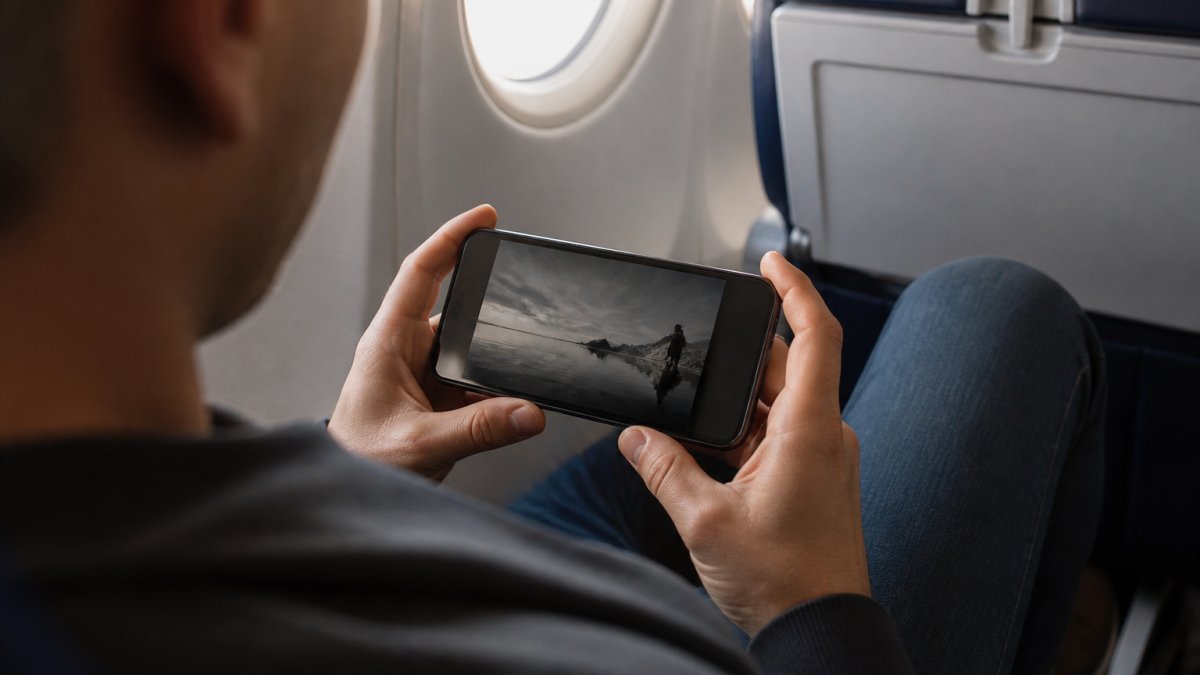
The key consideration for iPhone: storage space. Downloaded movies consume significant space on your device. A two-hour film in HD can use 2-4 GB of storage.
Best for: Apple ecosystem users, iPhone-primary viewers, people who want seamless integration with other Apple services.
Skip if: You need to watch on multiple device types simultaneously, iPhone-only support limits flexibility.
Watch Movies Offline on Android: Native and Third-Party Solutions
Android users have more flexibility because Google Play allows a wider range of apps.
Netflix, Prime Video, and BINGE Movies & TV all offer full offline download support on Android phones and tablets.
Plex on Android works the same as iOS: download your personal media library for offline access.
Tubi supports Android downloads, though with the same limitations as iOS, smaller download library, potential expiration after 30 days.
Jellyfin and Emby both support Android through their dedicated apps. If you're running a personal media server, Android gives you more control over download management and storage options than iOS typically allows.
One advantage Android has: you can sideload apps and use alternative media players. If you download an MP4 file directly, you have more playback options on Android than on iPhone.
Best for: Android users who want maximum flexibility, people with personal media servers, viewers who prefer open-source solutions.
Skip if: You want the simplest possible setup, iOS typically offers more simplified offline experiences through mainstream apps.
Offline movie watching has moved from luxury to necessity for frequent travelers and commuters. Start your 7-day free trial and download a few festival favorites to test the offline feature yourself.
Frequently Asked Questions
Is there a movie app that doesn't need internet?
Yes. Apps like BINGE Movies & TV, Netflix, Amazon Prime Video, and Plex all support offline downloads, letting you watch movies offline without an internet connection. You download content while connected to Wi-Fi, then watch it anytime without needing a signal. Free options like Tubi and Pluto TV also offer streaming, though offline download availability varies by app.
Can I watch movies offline on both iPhone and Android?
Yes. Most major streaming apps, including BINGE Movies & TV, Netflix, and Prime Video, offer offline viewing on both iPhone and Android devices. Download the app from the App Store (iPhone) or Google Play (Android), then download your chosen films. Some apps like Emby and Jellyfin also work across both platforms for personal media libraries.
Do offline movie downloads expire?
It depends on the app. Check each app's terms to confirm expiration policies before traveling.
What are the best free apps to download movies offline?
Plex offers free streaming with optional offline features through Plex Pass. Tubi and Pluto TV are entirely free but primarily stream rather than download. For more control, Jellyfin and Emby let you manage personal video files offline, though they require more setup. BINGE Movies & TV offers a 7-day free trial to test offline viewing before committing to a subscription.
How much storage do offline downloads use?
Storage depends on video quality and file size. Standard definition uses roughly 500 MB to 1 GB per hour; high definition uses 2-4 GB per hour. Most phones have 64-256 GB of storage, so you can typically store 10-50 films depending on quality settings. Apps let you adjust download quality to balance between picture clarity and storage space.